
How to Make an AI of Yourself in 2026
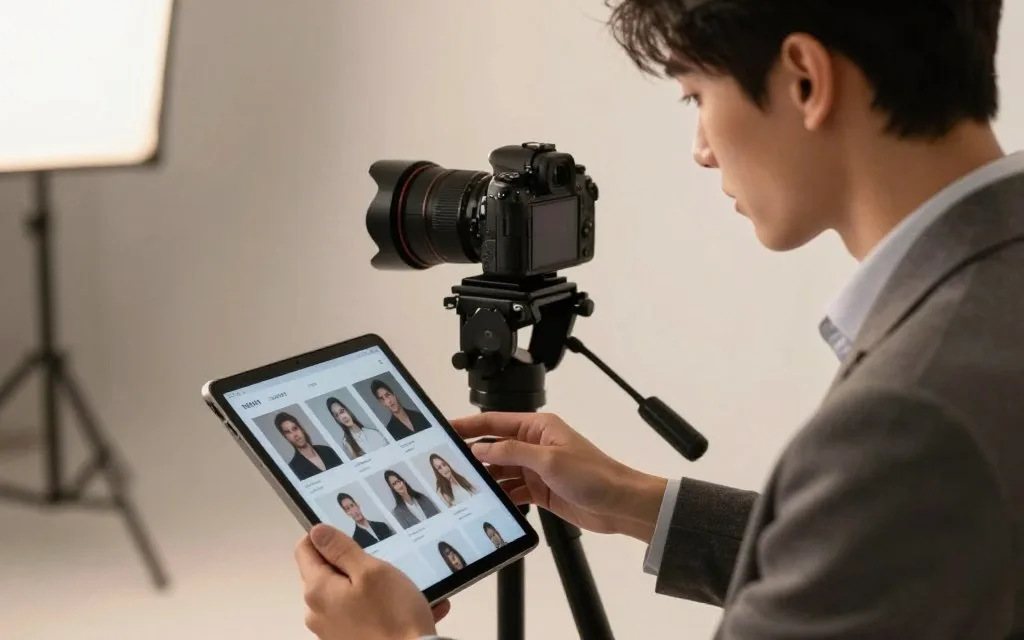
You can build a personal AI of yourself from photos, a short video, or your own writing, but the right starting point depends on what you want it to do. First, choose a still-image model, a talking video avatar, or a personal AI chatbot. Each creates a different kind of reusable aid for your content or conversations.
A digital twin is a reusable AI representation of a person built from their likeness, voice, or personal information. It can save time on repeat tasks, but it cannot replace your judgment or presence. Your personal brand may need polished images, regular video, or a written voice that answers routine questions. Start with the source material you can provide, such as photos, a short clip, or personal writing.
Key Takeaways
- Match the tool to the result you need.
- Use only source material suited to that format.
- Test one small output before building a larger version.
- Keep a person responsible for judgment and final approval.
- Check a platform’s data settings before uploading personal files.
Decide whether your first goal is images, speaking videos, or text conversations before creating an account or uploading anything.
How to Make an AI of Yourself: Choose the Right Format
The quickest way to choose is to match the tool to the output: still images, scripted video, or text conversation. A digital twin can be a reusable likeness, voice, or information-based representation. Its format decides what your version can produce.
Image models make still images from clear photos. Video avatars deliver a script as video, while personal AI chatbots answer through text. Each online platform needs different input, so choose based on the task and the presence you want.
| Format | Input | Output | Good fit |
|---|---|---|---|
| Image model | Clear photos | Generated still images | Portraits and visual concepts |
| Video avatar | Short video or photo | A script delivered as video | Repeatable on-camera content |
| Personal AI chatbot | Writing, FAQs, or documents | Text responses | A defined knowledge or conversation task |
To create a version online, choose a service for one format, prepare only the input it needs, and test a small output first. Decide what you need before picking a tool:
- Desired output: still image, scripted video, or text conversation.
- Available reference material: clear photos, a short clip, or writing.
- Whether it needs to look like you or think in your style.
Start with one clearly defined job, since a single-purpose build is easier to test than an all-purpose replica.
A twin built for one role is easier to judge than a broad attempt to copy your whole identity. For example, a portrait model can help explore visual concepts, but it cannot answer customer questions. A chatbot can use your written knowledge without matching your face or voice.
How Do You Build a Talking Video Avatar?
A short, front-facing sample gives a video avatar a clear reference for your face and delivery. HeyGen’s Avatar V flow uses a 15-second video, while Creatify offers a one-image route. Use a clear sample that shows your face and voice well.
Prepare a short clip or a clear photo
For footage, face the camera in a well-lit space with a simple background. Speak clearly, at a natural pace, and keep your face in view. HeyGen’s 15-second Avatar V clip gives the custom avatar a brief sample of your face and delivery.
Creatify can start with one photo rather than video footage. Its photo-avatar workflow takes around 5-10 minutes to process. Creatify recommends 1080p for polished content and ads, so use a sharp image when you choose that route.
Generate, direct, and review the first video
Write the script before you open the generator. Then follow this sequence to guide the first take:
- Write a short script with one main point.
- Select the language and voice for the intended audience.
- Direct posture, gaze, gestures, and energy with concise instructions.
- Preview lip-sync, expression, and factual accuracy before exporting.
HeyGen’s Custom Motion accepts plain-English performance directions, so you can describe the delivery without technical terms. HeyGen supports more than 175 languages, which can help you make multilingual versions of a script. A single generation can produce up to 30 minutes of continuous talking-head video.
Review the face, voice, and gestures as one performance, not as separate settings. Watch for odd pauses, misplaced emphasis, or expressions that clash with the message. Check every claim against the script and source material before using the video as content.
Keep the first script brief enough to review line by line before using the avatar for a longer lesson or campaign.
How Can You Make AI Images of Yourself?
To make an AI picture of yourself, either transform a photo with an image tool or train a model on a set of reference photos. ChatGPT on Android can edit an uploaded image or create a new one from a description. A single photo can support an edit, but it does not train every reusable image model.
Generate or transform an image in ChatGPT on Android
In the official ChatGPT Android app, upload or take a photo, then describe the image you want. You can also give text instructions to transform the uploaded picture. Its app listing was updated October 30, 2026.
To make AI images of yourself in ChatGPT, add a photo and describe the scene, style, or change you want. Free image access depends on your account’s current allowances. AI-generated images of yourself are free only through a service with free access or credits, so check the current allowance before uploading.
For an AI picture on Android, use the official app and give it a specific prompt, such as a new background or art style. A prompt can change the image, but it may also change details of your face. Review the result rather than assuming every feature will stay true to your photo.
Train an image model for repeatable custom portraits
ImagineMe trains a private image model using 10-20 varied photos. Training may take up to 5 hours, though it is usually faster. Choose clear photos with different angles and lighting to give the model more than one view.
The first generation takes a couple of minutes, while later generations take about 10 seconds. ImagineMe offers paid credit packs of 25 credits for $5, 50 for $10, and 75 for $15. These are paid examples, not free access.
Use a photo tool for a one-off change, or a trained model when you need repeatable custom portraits. ChatGPT’s Android image tools can transform uploads, while ImagineMe builds a reusable image model from a photo set. Review the result for likeness before sharing it as a real photograph or profile image.
How Do You Build a Personal AI Chatbot?
A personal AI chatbot works best when it has one defined job and a small, relevant body of knowledge. Personal writing, FAQs, transcripts, or product notes can guide its knowledge and style. Use material tied to one task, not a pile of unrelated files.

Give the chatbot a narrow role and useful material
A task-focused Custom GPT can answer defined questions using your instructions and reference material. A companion chatbot is built for open-ended conversation, not necessarily for accurate answers based on your documents. Choose the type that matches the work you need.
OpenAI Custom GPTs are free for narrow, defined tasks inside ChatGPT. CustomGPT.ai Standard includes 10 agents, 1,000 queries per month, and 5,000 documents per agent. Its Premium plan includes 25 agents, 5,000 queries per month, and 20,000 documents per agent.
These limits suit different workloads, but the agent count alone does not make a useful digital twin. A personal AI chatbot needs clear instructions about what it knows, what it should not claim, and when a person must take over. Keep its identity and tone tied to the job.
Test its answers and set its conversation style
Test representative questions, correct unsupported claims, and set a tone that fits your voice. Include directions for when to defer to the real person. Then check how it handles facts that are missing from its material.
Companion apps have separate subscription models. On July 8, 2026, Character.AI c.ai+ was listed at $9.99 monthly or $94.99 yearly. Nomi AI was $15.99 monthly, $39.99 for three months, or $99.99 yearly.
On that date, HakkoAI paid tiers were listed at $9.99 or $19.99 per month after a three-day trial. These subscriptions are for companion apps, not custom knowledge tools. Their prices should not be confused with costs for training a chatbot on your own documents.
A common mistake is supplying a large pile of unedited files instead of material tied to one clear task. More text can add noise when the files cover unrelated topics or old versions of your work. Test whether the chatbot can keep its tone without making up facts.
Test the chatbot with a question it should refuse or hand back to you, not only with questions it can answer.
Which AI Avatar Tools Fit Your Budget?
A free trial or starter allowance is enough to test a workflow, while regular publishing may call for a paid plan. CraftStory offers a free talking-video plan, while Ready Player Me offers free 3D avatar creation for individual use. Free credits test access, but do not prove commercial rights.
| Tool | Stated price or trial | What the plan provides or limits |
|---|---|---|
| HeyGen | Creator $29/month | Instant custom avatar from a selfie |
| CraftStory | $19/month or $14/month annual, plus free plan | 100 credits, about 8 minutes of video, no card, no watermark |
| Synthesia | Creator $89/month | 5 personal avatars |
| D-ID | 14-day trial; Lite from $16/month | Trial videos carry a watermark |
| Lensa | About $4-8 per pack | Stylized portraits from selfies |
CraftStory starts at $19 per month, or $14 per month with annual billing. Its free plan includes 100 credits, about 8 minutes of video, no credit card requirement, and no watermark. It can create an avatar from about 15 seconds of phone video.
HeyGen Creator fits someone who prioritizes an instant custom avatar from a selfie. Studio-created avatars are on higher tiers. Synthesia Creator includes five personal avatars, while D-ID’s 14-day trial adds a watermark to trial videos.
For a free 3D avatar for individual use, Ready Player Me integrates with more than 1,000 apps and games. Creatify offers 10 free credits and paid custom-avatar access from $19 per month. Its paid-plan content is licensed for commercial use under the plan terms.
An AI image of yourself is free only when the service currently includes image access or credits. ImagineMe’s credit packs are paid. Choose CraftStory for a low-friction talking-video test, HeyGen for a selfie-based video avatar, or Ready Player Me for a free 3D avatar.
Check the current plan limits and commercial-use terms before committing a likeness to a campaign.
How Do You Protect Your Likeness and Data?
Permission to make a private likeness is not permission to publish every image or voice output it produces. The United States has no single comprehensive federal law specifically regulating AI voice cloning. State laws and other existing rules can still apply to voice and identity misuse.
Understand U.S. rules on voice and intimate imagery
Federal and state laws address fraud, consumer protection, privacy, biometric data, and identity misuse. Right-of-publicity protections are mainly governed by state law. This is general information, not legal advice; ask a qualified attorney about a specific case.
The federal TAKE IT DOWN Act makes it a crime to knowingly publish or threaten to publish non-consensual intimate imagery, including AI-generated imagery. Penalties can reach two years in prison for adult victims and three years for minors. Covered platforms must remove intimate imagery within 48 hours of a valid takedown request and make reasonable efforts to remove known copies.
Consent to create an image or share it privately does not count as consent to publish it under the Act. The NO FAKES Act cleared the Senate Judiciary Committee in June 2026, but its path to a floor vote remained unclear.
Limit what you upload and retain
An uploaded selfie gives a service another copy under its retention and training rules. Photos may also contain capture-date, device, or location metadata. Services may collect prompts, inferred information, session metadata, and saved responses or files.
Collection and retention depend on the service, account type, and settings. ChatGPT chats remain on your account until you delete them. Deleted chats can stay on OpenAI systems for up to 30 days, with some data kept longer for legal or security reasons.
Use these steps to limit exposure before you upload:
- Use your own likeness, and get permission before uploading someone else’s photo.
- Take particular care with children’s images and identity documents.
- Avoid sensitive prompts and files.
- Review training settings, temporary modes, deletion controls, and connected services.
- Do not enter passwords, Social Security numbers, financial account details, or other secrets.
A service’s privacy settings affect how long your face, voice, or files may remain available. Review them as carefully as the output settings, especially when connected services can access saved material. See the site’s privacy policy for its own data practices.
Before uploading, read the service’s retention and training settings and remove any detail the task does not need.
What Should You Check Before Publishing?
A polished output still needs a human check for accuracy, audience fit, and clear disclosure. Use a three-part release check for likeness, script accuracy, and audience context. Generated content needs human review even when the face and delivery look consistent.
First, confirm that the likeness and voice are authorized and represented fairly. Then verify names, claims, and script details against reliable records. A smooth delivery can make a wrong claim sound convincing, so read the final script beside the output.
Decide whether the audience needs a clear notice that an image, voice, or video is AI-generated. Voluntary transparency about AI use differs from FTC endorsement guidance. That guidance calls for clear disclosure of material connections when they apply.
Useful tasks include product explainers, course updates, multilingual content, and social posts. A real person should handle sensitive or high-stakes communication, where context and judgment matter more than production speed.
Keep a real person responsible for the final approval, especially when the message could affect a customer’s decision.
Before release, watch the full video or inspect the full image in the setting where people will see it. For a chatbot, test the exact prompt or conversation path your audience may use.
Conclusion
A useful AI version of you starts with a clear job, not the largest possible collection of files. A narrow task makes it easier to choose useful reference material and judge whether the result works. Keep the final decision with a person who understands the message and its audience.
Choose one low-risk script or image prompt, test it with material you control, and decide whether the result is good enough to use.
Leave a Reply